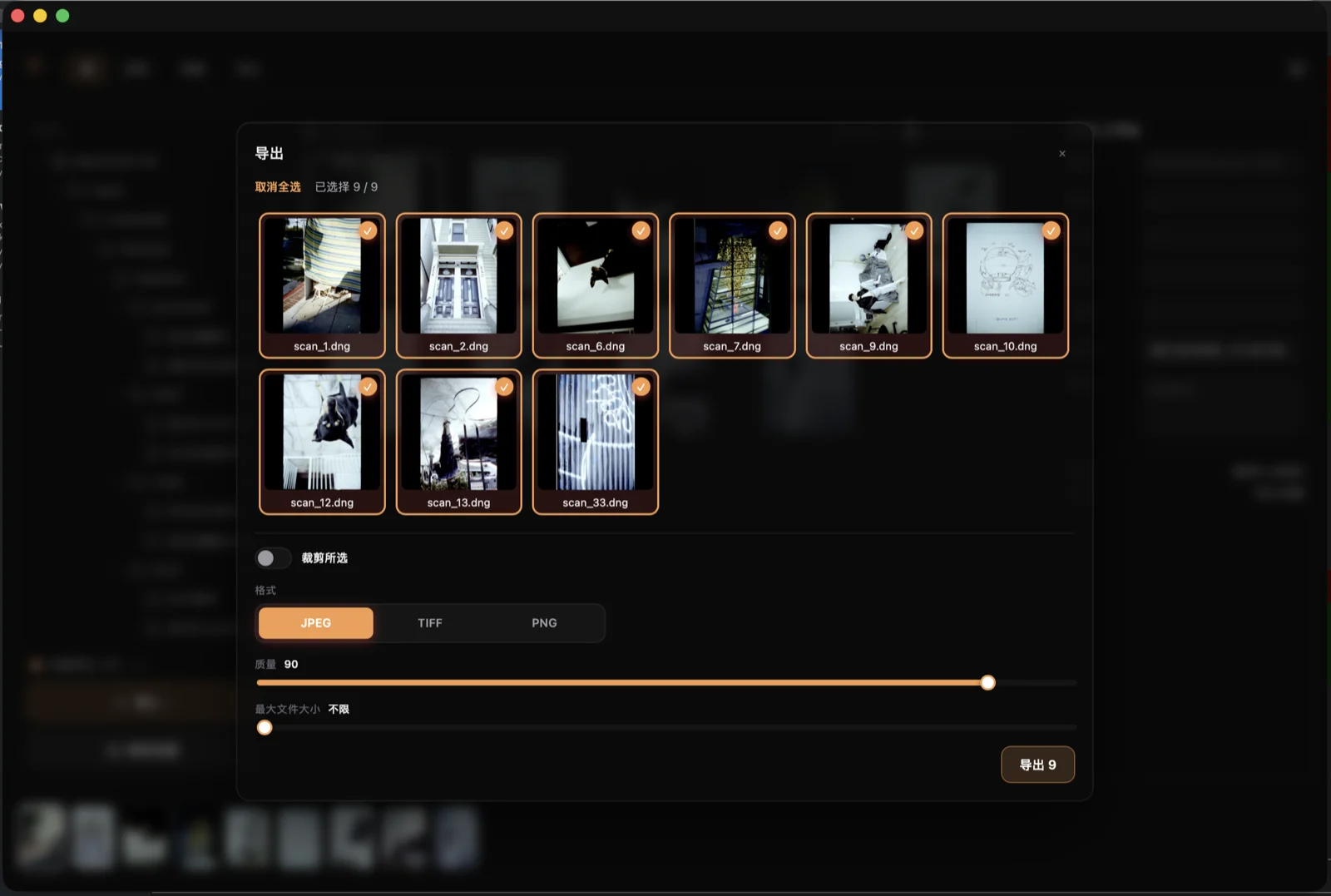
The workflow
A roll moves through four stages. Edits are non-destructive and can mirror across the whole roll at once.
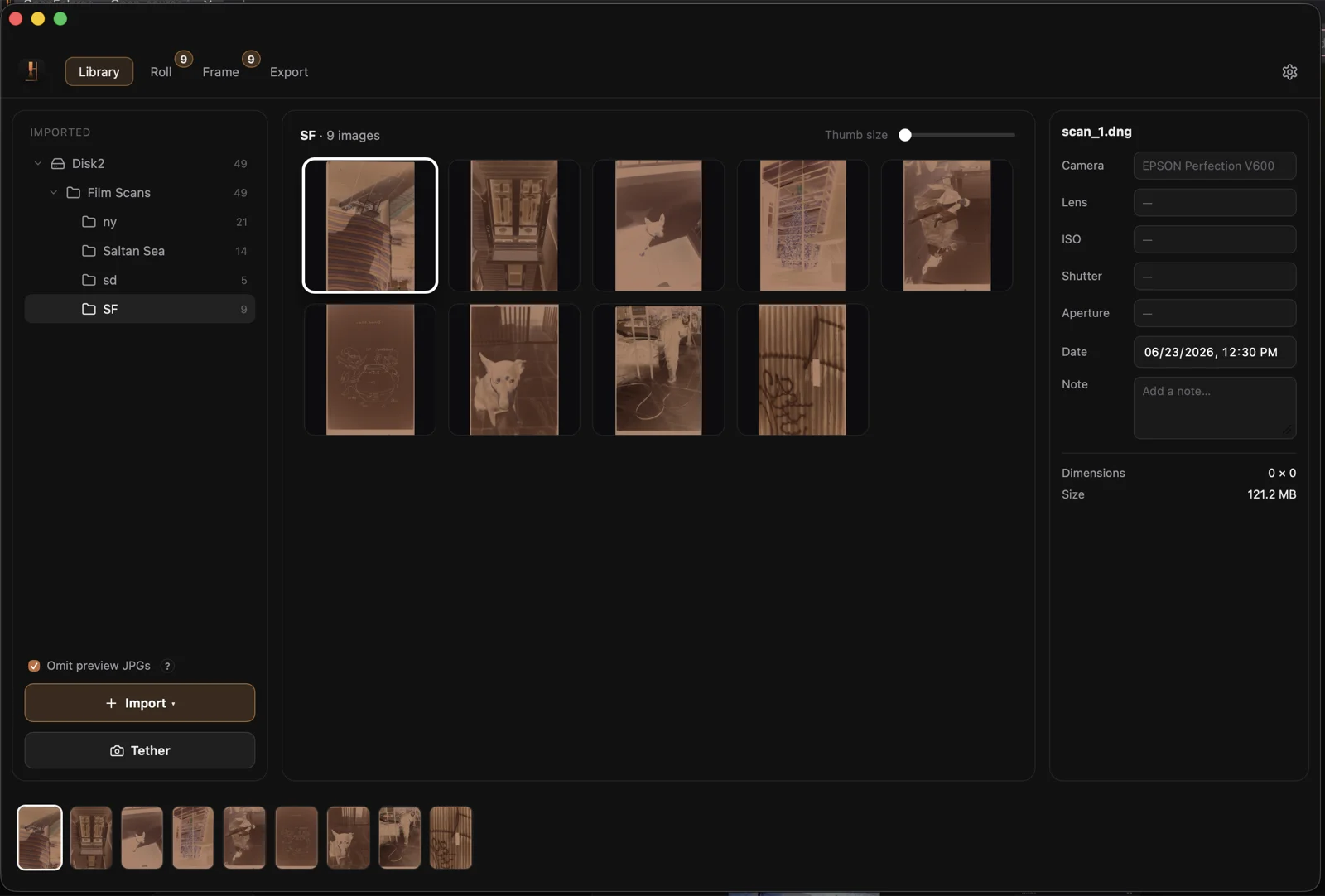
1 · Import & Library
Drag in folders of scans (JPEG, TIFF, PNG, or camera RAW). OpenEnlarge catalogs them, builds thumbnails, and can omit duplicate camera-preview JPEGs. Library reference →
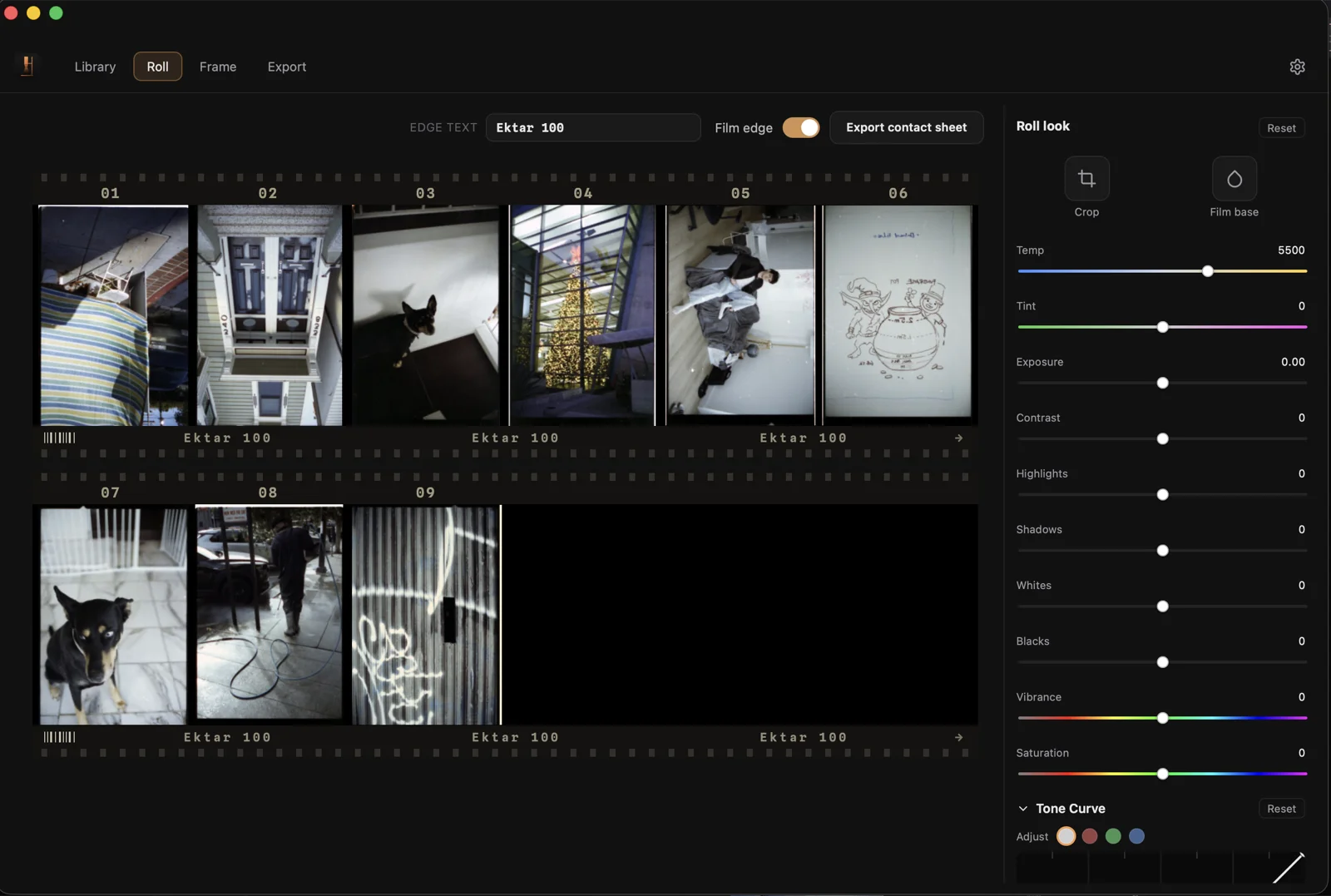
2 · Roll
Decode and invert a whole folder in one pass. Each frame gets an auto white-balance and auto-exposure starting point, and the film base is measured automatically — one per-roll baseline calibrated from the rebate, shared across every frame. The contact sheet shows the whole roll; in mirror mode, an edit to one frame previews live across every frame, so a roll keeps a consistent look. Roll reference → · How inversion works →
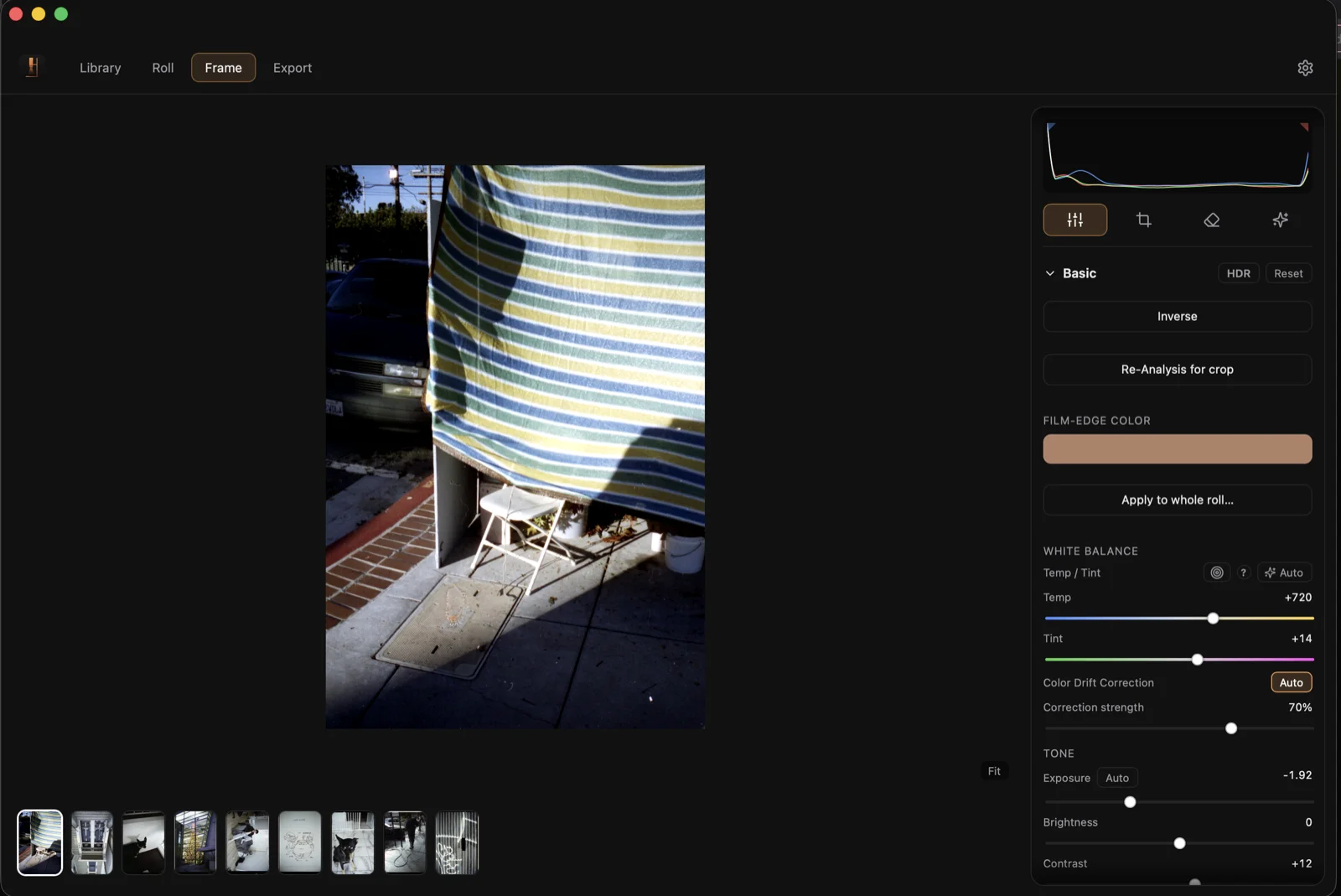
3 · Frame
Perfect each frame with curves, color wheels, the 8-band color mixer, and point-color targeting. Frame reference →
4 · Export
Batch-export to JPEG, TIFF, or PNG at 8 or 16-bit, with resolution caps and an optional shared crop. Export reference →